pi-provider-opencode-console: live OpenCode Go models without waiting for pi releases
Posted on Sat, 24 Oct 2026 in Tools
For my personal work I use the OpenCode Go subscription as the model provider in pi. And there was one detail that annoyed me every week: when OpenCode changed the subscription model catalog, pi kept showing me the old list until a new release shipped.
The problem: a model list frozen into the binary
pi does not discover models at runtime for its built-in providers. The catalog lives in pi-ai, in a file generated at build time:
// This file is auto-generated by scripts/generate-models.ts
// Do not edit manually - run 'npm run generate-models' to update
For a provider with a public API and a stable catalog that's fine. For a subscription that adds and retires models every few weeks, it's constant friction: you see new names on the OpenCode site that don't exist in /model, and retired models that are still there taking up space.
The alternative was hand-editing models.json, which is worse: you maintain it, it drifts, and model overrides don't always behave the same way with extension providers.
The fix: device-code OAuth and a live catalog
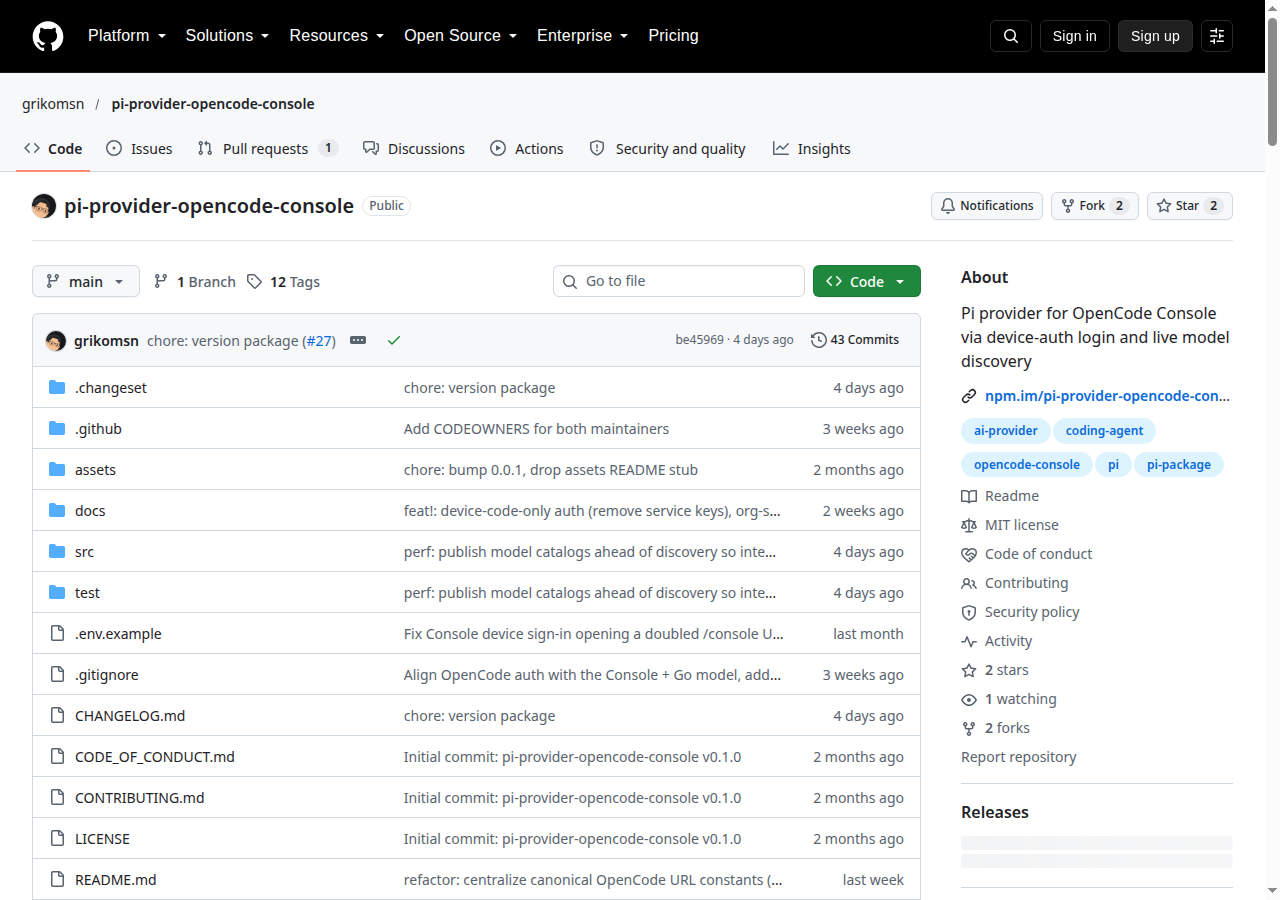
pi-provider-opencode-console is a pi extension that registers two new providers — opencode-console and opencode-go-console — with OAuth 2.0 device authorization grant login (RFC 8628) and model discovery against OpenCode's real catalog.
pi install npm:pi-provider-opencode-console
The two providers are deliberately distinct from the ones pi ships with:
| Provider | Auth | Model catalog |
|---|---|---|
opencode / opencode-go (built-in) |
API key | Static, compiled into pi-ai |
opencode-console / opencode-go-console (extension) |
OAuth device code | Live, from the server |
That leaves the built-in providers untouched and lets you pick whichever matches your setup: API key or subscription. No name collisions, no credential conflicts.
Login
The flow is the usual one: you request the login, pi gives you a code and a URL, you approve in the browser, done.
/login opencode-go-console
# pi prints a user code and the verification URL
# you approve in the browser and the credential lands in ~/.pi/agent/auth.json
For the full console (the one that absorbed Zen) it's the same flow:
/login opencode-console
Both share the device-code session, so authenticating one leaves the other ready. The credential is stored as oauth in auth.json, and the access token renews itself: with less than five minutes to expiry the extension refreshes before the next request, single-flight so two concurrent calls don't request two tokens, and mirrors the rotated token into the sibling entry.
One important thing: the extension is OAuth-only. It does not offer pi's generic "Enter API key" login. If you want API-key access with a static list, that's exactly why the built-in providers exist.
Where the models come from
Each provider has its own source:
opencode-go-consolepulls the publicGET https://opencode.ai/inference/go/v1/modelscatalog, thelitelist, and enriches it with models.dev data while dropping disabled or deprecated ids.opencode-consolepulls the org-scopedGET {server}/api/configendpoint withAuthorization: Bearerandx-org-id, so each organization sees the models it actually has.
To refresh without logging in again:
/opencode-go-console refresh
And to see what's behind it:
/opencode-go-console status    # auth method, account, org, token expiry
/opencode-go-console logout    # clears the Go credential, keeps Console's
The console provider also has switch-org to change organization when the session isn't already scoped to one from the browser. If the grant requested org scoping, switch-org doesn't apply: you log in again.
The detail that makes this work well
OpenCode does not expose every model over the same protocol. Some models speak anthropic-messages, others openai-completions, others openai-responses, and the Gemini ones go through google-generative-ai. The extension routes each request to the right wire API for the model you picked, and normalizes the base URL per API kind before letting the SDK compose its own:
| API kind | Normalized base |
|---|---|
anthropic-messages |
/inference[/go]/anthropic |
openai-completions |
/inference[/go]/openai/v1 |
openai-responses |
/inference[/go]/openai/v1 |
google-generative-ai |
/inference[/go]/google/v1beta |
Streaming and parsing are delegated to pi-ai's implementations instead of being reimplemented. That means a new model speaking an already-supported protocol works without touching the extension, and streaming bugs get fixed where they belong: in pi-ai.
It also injects per-request identity headers (x-opencode-org-id, x-opencode-client, x-opencode-request), which is what makes the session recognizable as yours on OpenCode's side.
Configuration
Just two environment variables, and usually none:
| Variable | Default | What for |
|---|---|---|
OPENCODE_CONSOLE_SERVER |
https://opencode.ai/console |
Self-hosted consoles. Persisted to auth.json on first sign-in. |
PI_CODING_AGENT_DIR |
~/.pi/agent |
pi's agent directory. Useful for testing in an isolated setup. |
Migrating from older versions
2.0 broke compatibility on purpose: service-key auth (sk-…) was removed. If you still have one of those entries in auth.json, it's inert and pi reports "Provider is not configured". Delete it and do the device-code sign-in.
# coming from 1.x? check and clean up
cat ~/.pi/agent/auth.json
How I use it
I run pi on two machines with two different budgets: the OpenCode Go subscription for personal work and the Claude subscription for work (that's pi-claude-bridge). On the personal machine, this extension removed an entire class of friction: there's no longer a "let's see if this week's release brings the new model" moment.
The catalog you see in /model is the one you're paying for right now. If OpenCode adds a model in the morning, I have it in pi after a refresh, without updating anything.
And if you want to know how each of those models performs before picking one, aa-opencode crosses the catalog with Artificial Analysis benchmarks.
Resources
- pi-provider-opencode-console on GitHub — Code and docs
- On npm —
pi install npm:pi-provider-opencode-console - OpenCode Console — The console and model catalog
- RFC 8628 — OAuth 2.0 Device Authorization Grant
- What is pi? — First part of the pi series