rbw-env: Export environment variables from Bitwarden
Posted on Thu, 26 Mar 2026 in Herramientas
Continuing the kitty-rbw saga, today I present another script from the same project: rbw-env.
The problem
I use pi-agent with different AI models (Claude, OpenAI, Gemini...) and each requires its own API_KEY. Keeping these keys on disk is a security risk, and having to enter them every time is tedious.
The solution: rbw-env
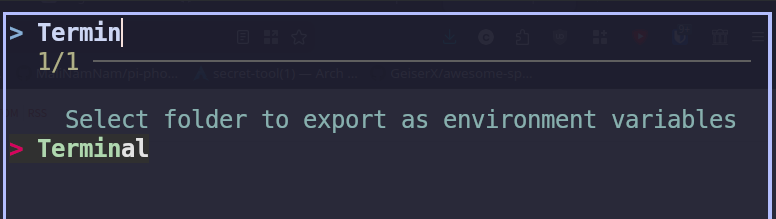
The script exports Bitwarden entries as environment variables. The idea is simple but effective:
- Select a folder with
fzf(e.g., "ai-providers") - rbw-env exports each entry as
export VARIABLE='value' - The temp file deletes itself after sourcing
Usage
# Interactive folder selection
kitty @ kitten kitty_rbw/rbw_env.py

# Or pass folder as argument
kitty @ kitten kitty_rbw/rbw_env.py ai-providers
The command creates a temporary file in /tmp/kitty_rbw_env_* and sends the source command to the window:
source /tmp/kitty_rbw_env_qfdhyh_b
The last line of the temp file is the deletion of the file itself:
rm -f /tmp/kitty_rbw_env_qfdhyh_b
Bitwarden structure
Each entry in the exported folder uses:
- Username: variable name (e.g.,
ANTHROPIC_API_KEY) - Password: variable value (e.g.,
sk-ant-...) - Name: optional description
If any entry has username or name equal to NOEXPORT, it's skipped (useful for notes).
Integration with kitty-rbw
In the previous post I explained how to install kitty-rbw. With Ctrl+Alt+Shift+b I get the folder selector to export environment variables.