Crit: The Review Loop for Agents
Posted on Sun, 22 Mar 2026 in Programación
Reviewing what an AI agent writes directly in the terminal is often a nightmare. You can't point to a specific line, provide structured feedback, and when the agent updates the file, you have to re-read everything to see what actually changed.
That's where Crit comes in.

Crit opens files generated or modified by your agent in the browser with a GitHub-style interface. You can leave comments on specific lines, suggestions for changes, and, best of all, see diffs between different iteration rounds.
What I liked most is its multi-agent nature and its usability. It doesn't matter if you use Claude Code, Cursor, Aider, or, as in my case, OpenCode. Crit integrates beautifully.
Installation and Setup
Installation is as simple as:
gah install tomasz-tomczyk/crit
Once installed, integrating it with OpenCode is just a matter of one command:
crit install opencode
This installs the necessary commands and skills for agents to use Crit. By running /crit in OpenCode, the review loop begins: the agent proposes a plan or changes, Crit opens the web interface for you to approve or correct, and the agent receives your structured feedback in a .crit.json file to act accordingly.
Note to my future self: If you use pi-agent instead of OpenCode, you can copy the OpenCode command as a prompt and copy the crit skill as-is — it works perfectly. In fact, this very annotation was reviewed using pi-agent with Crit.
Why Use It
- Web Interface, not TUI: Markdown rendering and persistent visual diffs.
- Round-to-round diffs: You see exactly what has changed since your last comment.
- Agent agnostic: Works with any tool, allowing for a consistent workflow.
- Direct suggestions: You can insert suggestions that the agent can apply as-is.
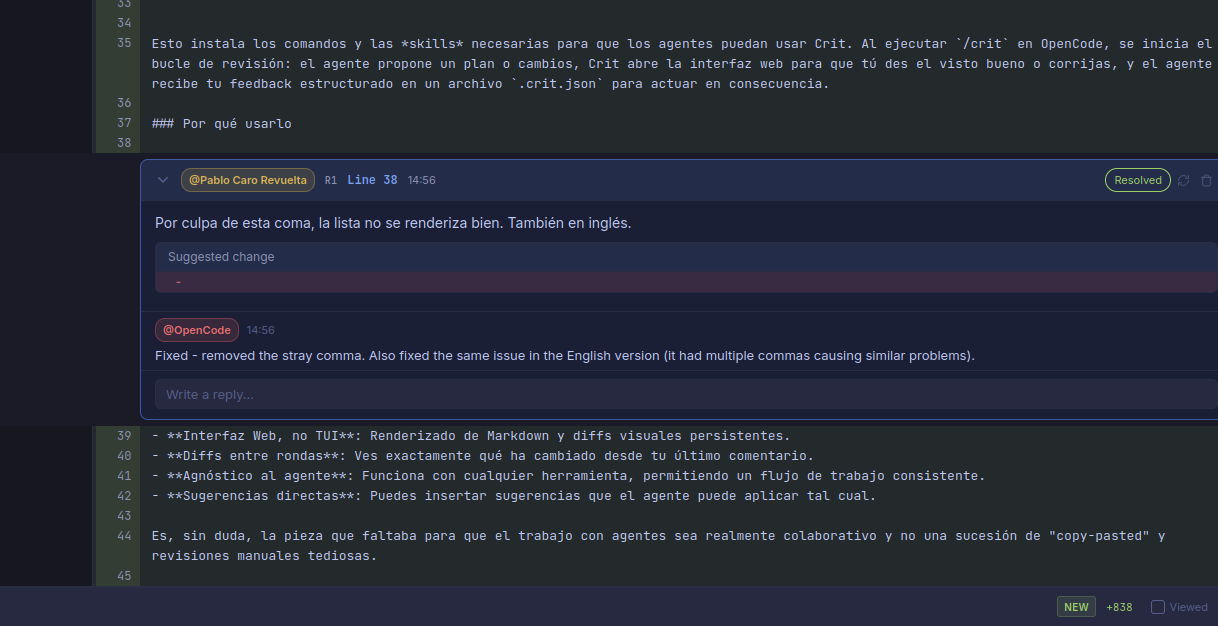
For example, the very change that fixed the comma issue in this annotation:
It is undoubtedly the missing piece to make working with agents truly collaborative rather than a succession of copy-pasting and tedious manual reviews.