kitty-rbw: Fast Bitwarden access from your kitty terminal
Posted on Thu, 26 Feb 2026 in Herramientas
In the previous post we talked about rbw, the Bitwarden CLI client written in Rust that stands out for its speed and for using an agent to manage vault unlocking.
Today I'm going a step further and introducing kitty-rbw, a kitten I've developed for the kitty terminal. Its goal is to let you search and use your Bitwarden credentials without leaving the terminal or typing complex commands, integrating perfectly into your workflow.
What is a kitten?
Kittens are small Python programs that extend the functionality of the kitty terminal. They can run in overlays, making them ideal for interactive tools that we don't want cluttering our terminal history.
Key Features
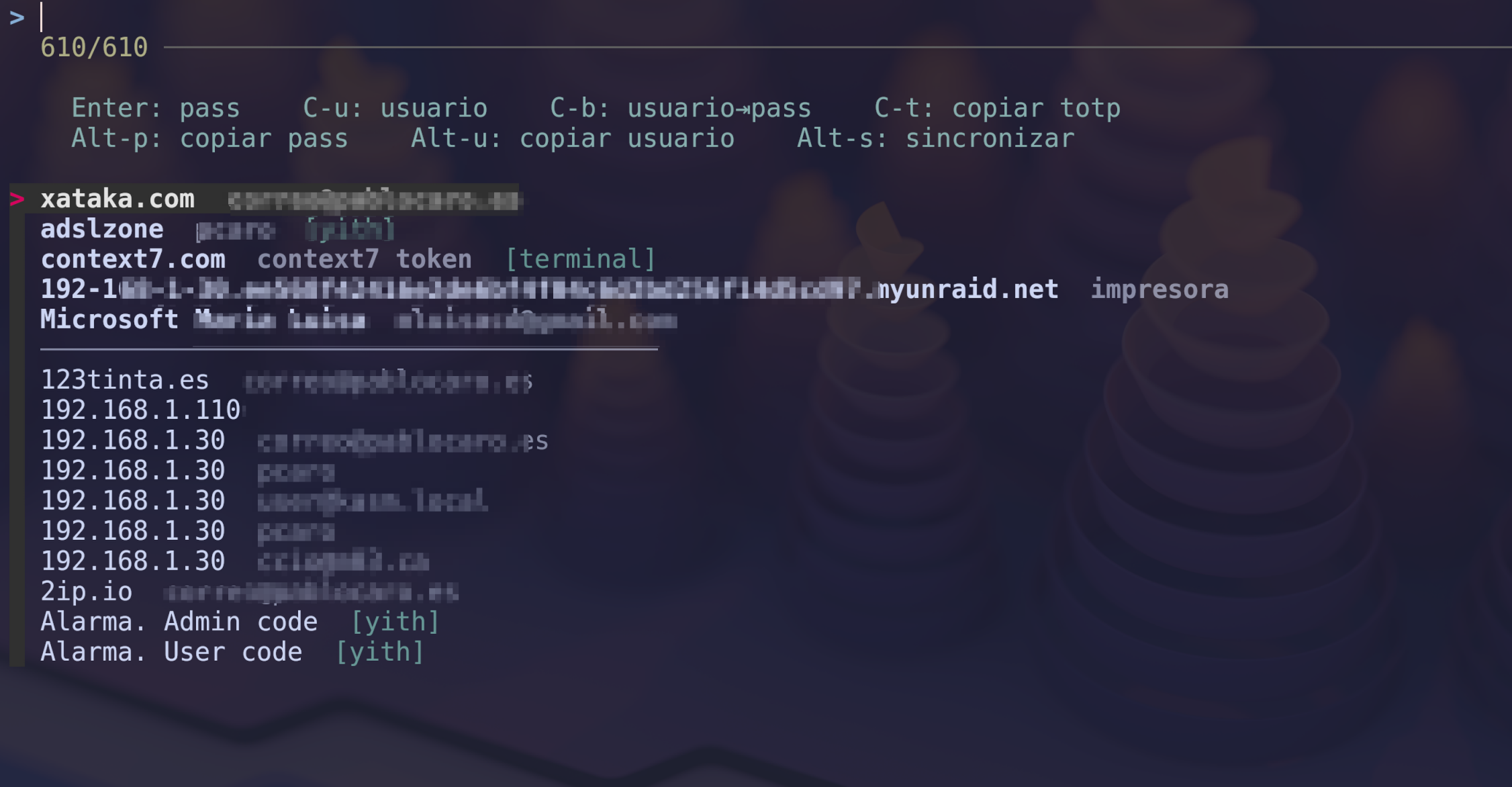
kitty-rbw uses fzf to provide extremely fast fuzzy searching over your rbw vault. Here are its most notable features:
- Simultaneous search: Filter by name, username, and folder at the same time.
- Direct injection: Types the password or username directly into the active terminal window where you launched the kitten. Ideal for
sudoprompts or SSH logins. - Clipboard support: Copy the username, password, or TOTP code with a single keyboard shortcut.
- Usage prioritization: The 10 entries you use most frequently appear at the top of the list, making it easy to access common credentials.
- Folder shortcuts: You can configure the kitten to open pre-filtered by a specific folder (e.g., one for work and one for personal).
Installation
To install it, simply clone the repository into your kitty configuration directory:```bash cd ~/.config/kitty git clone https://github.com/pcaro/kitty_rbw
Then, add a keyboard shortcut to your `kitty.conf`:

```conf
map kitty_mod+b kitten kitty_rbw/rbw.py
Usage and Shortcuts
Once configured, pressing the shortcut (Ctrl+Shift+b by default) will open a panel with your credentials.
| Key | Action |
|---|---|
Enter |
Type password into the terminal |
Ctrl+u |
Type username |
Ctrl+b |
Type username, press Tab, then password |
Ctrl+t |
Copy TOTP code to clipboard |
Alt+p |
Copy password to clipboard |
Alt+u |
Copy username to clipboard |
Alt+s |
Sync the vault (rbw sync) |
If you want to know more or contribute to the project, you can find it on GitHub: https://github.com/pcaro/kitty_rbw