degit: copy a repo without the history
Posted on Thu, 05 Nov 2026 in Herramientas
I needed the skills/find-skills folder from the vercel-labs/skills repo, a single 5.5 KB SKILL.md. Cloning the whole repo for that makes no sense at all, so I reached for degit, Rich Harris' tool (the Svelte guy) that does exactly this: pull a repo down without dragging the history along.
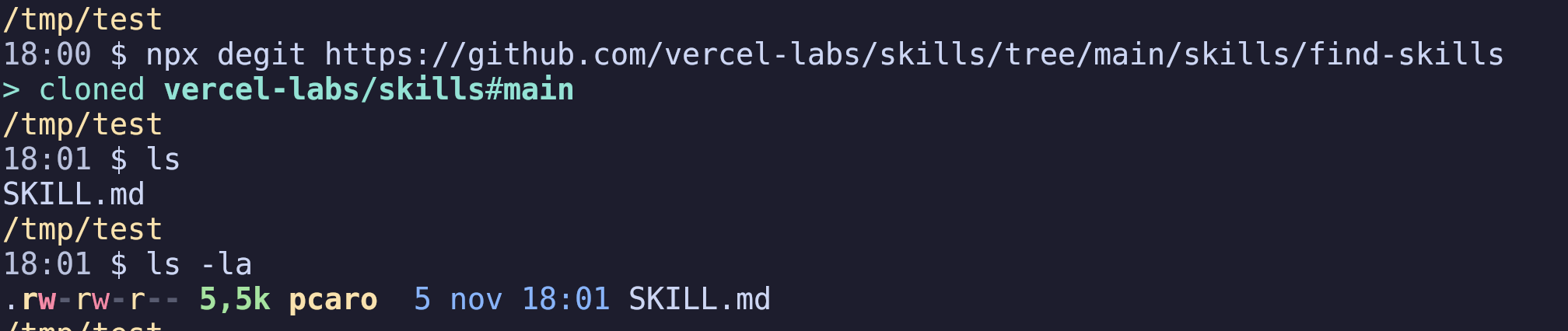
And it takes the browser URL as is, /tree/main/ and all.
What it does
It resolves the ref, downloads the tarball for that commit and unpacks it. No history, and no .git left underneath.
It works with GitHub, GitLab, Bitbucket, Sourcehut and gists, and it's an npm package (Node 20 or later), so you can run it with npx without installing anything:
npx degit user/repo                  # latest version of the default branch
npx degit user/repo#v1.2.3           # tag, branch or commit
npx degit user/repo/subfolder        # just that folder
npx degit user/repo my-project       # into a new folder
npx degit user/repo my-project -F README.md,src   # just those files
The destination has to be empty unless you add --force. Tarballs are cached in ~/.cache/degit, and with --cache it won't even ask the network. The 3.x line, which is what you get today, adds -F/--files to keep loose files, aliases for the repos you come back to (degit alias github:user/repo myRepo) and an interactive mode when you run it with no arguments. For private repos it falls back to ssh, and that path does need git on your PATH.
Where it falls short
degit leaves you with a dead copy: no history, no remote, nothing to pull from. Perfect to start a project from a template, useless if you want to keep following the repo.
That's what git sparse-checkout is for, and it's still a real clone:
git clone --filter=blob:none --sparse https://github.com/user/repo
cd repo
git sparse-checkout set the/folder
Only that folder on disk, but with pull, branch switching and patches at hand. The difference between the two tools fits in one sentence: degit copies files, sparse-checkout brings you a repo with a narrower view.
Fuente original: Rich-Harris/degit